

Creating Your Capykey
Creating your Capykey is easy just follow the steps below
Step 1: Select the Capykey Type
Option 1) Standard Capybara Logo, Custom QR Code and NFC Device
Option 2) Capykey with your logo and custom QR Code and NFC Device
Option 3) Capykey with your logo, we'll create the Capykey in the shape of your logo along with Custom QR code and NFC device


Step 2: Provide URLs for QR Code and NFC
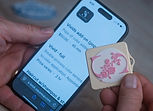
Provide the unique URL (website address for your QR Code and Your NFC Device. You should use a different URL for each - consider using your website for the QR Code and the URL for you Linktree, a product ordering page or contact info for the NFC device

Step 3: Upload your Logo
If selecting a custom logo or Custom logo and Shape upload a graphics file of your logo. We'll create a high quality durable Capykey with your Logo

Step 4: Place your Order
Select quantity and proceed to check out. If we have any questions, we will let you know.
Enjoy your Capykeys !